install randumb in under a minute.
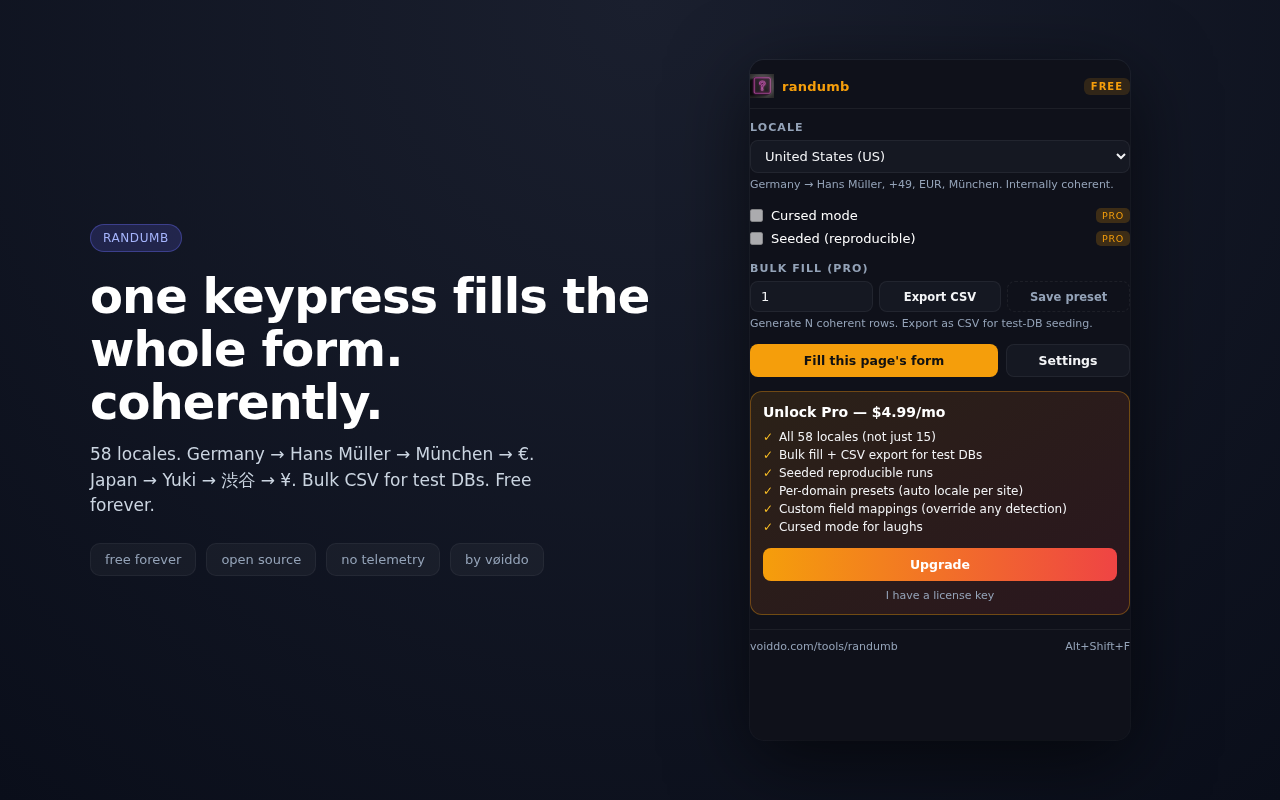
coherent fake-data form filler with 58 locales. every identity stays country-aware, so test data looks believable instead of mixed-up.
choose your browser, install once, then right-click any input and fill. if you want the story before the click, jump to compare first.
 Chrome
 Firefox
 Edge
Edge
pick your store
Chrome, Firefox, and Edge all carry randumb. the install guide exists so you can skip the compare page when you already know you want locale-coherent test data.
install once
open the store, click install, then pin randumb if you want one-click access from the toolbar. no account, no telemetry, no onboarding wall.
fill anything
right-click an input, use the popup, or generate CSV fixtures when you need rows instead of one-off values.
test data that stays in one country.
coherent identities
names, addresses, currencies, city formats, phone prefixes, and email patterns stay aligned, so your tests and demos stop looking fake in the wrong way.
fast install path
this page is the shortest route: browser button, store page, install. if you need to compare it against another form filler first, the compare page is one click away.
build and QA friendly
randumb works as a browser extension and as a CLI. that gives teams a quick install path for PMs and a reproducible path for developers.
no hidden lock-in
the extension does one job. no inbox capture, no onboarding account, no forced analytics. install, pin, use.
choose compare, product, or CLI.
compare first
if you are still deciding between form fillers, the compare page shows how randumb differs from generic random-data tools.
go to product
the product page gives the full feature story, screenshots, pricing context, and store links in one place.
CLI side
if your team wants deterministic fixture generation in terminal workflows, use the tools page and ship browser install later.